
Your USD wallet just got an upgrade
Send and receive USD internationally via Swift on BVNK, with automatic reconciliation.
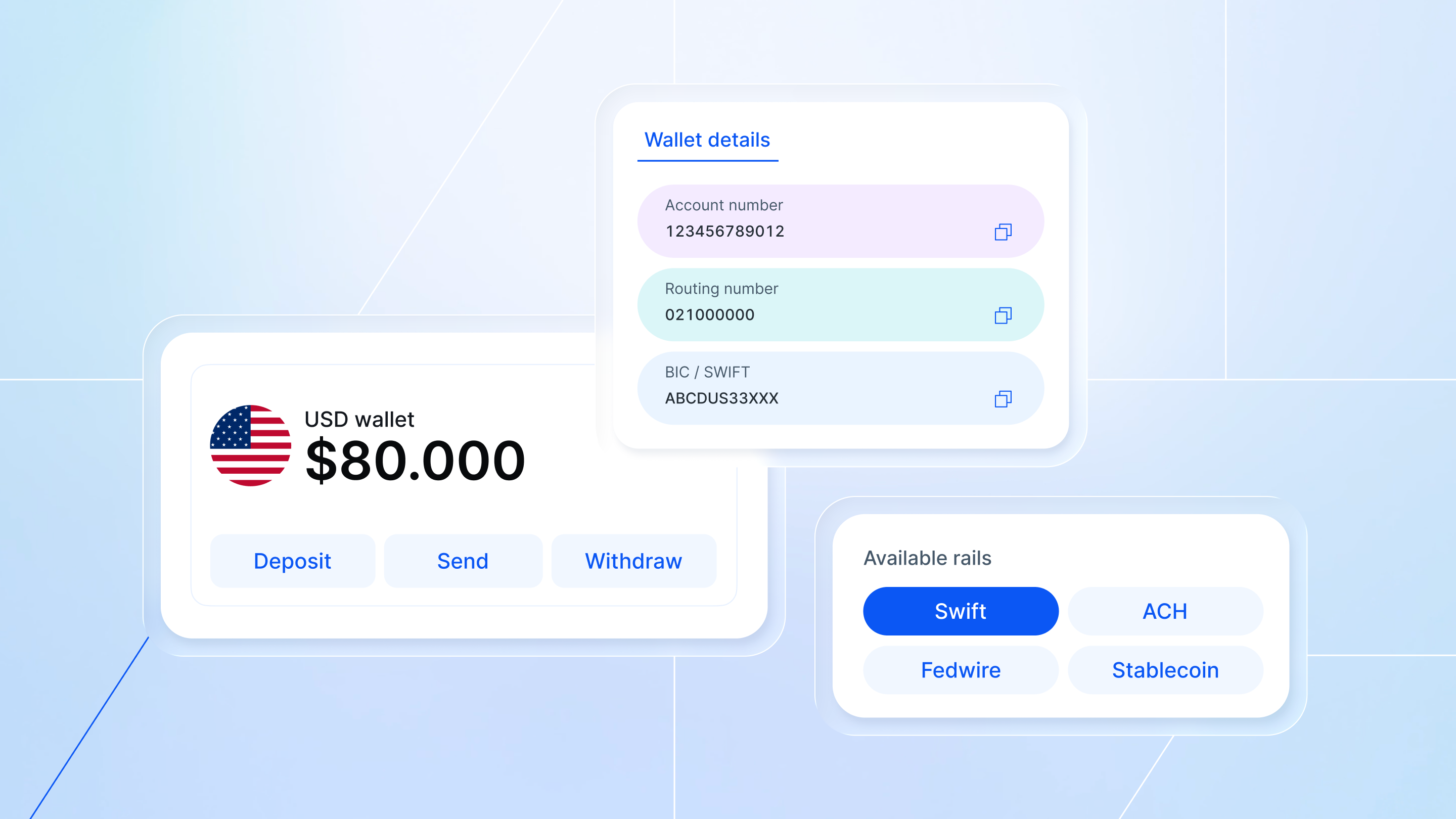
USD wallets on BVNK now support international payments via Swift in your name – no reference codes needed, with automatic reconciliation built in.
With BVNK wallets, you and your customers can send and receive USD payments via Swift, as well as stablecoins and local rails including ACH and Fedwire through one account setup, giving you more flexibility in how USD is received, routed and settled.
Move money your way
BVNK is building the financial stack for a stablecoin-powered world, enabling businesses to send, receive, convert, store, spend and earn value near-instantly, across borders. Now, with named Swift payments from the same platform, you can:
Move money the way that serves your business.
Choose between stablecoin rails or USD for your cross-border payments – or use both in tandem where it makes sense. No need to juggle multiple payment systems.
Use one wallet for local and global USD payments.
Make domestic USD transfers (ACH, Fedwire) and international wires (Swift) from the same place.
Remove friction with automatic matching.
Incoming Swift payments are matched to your account automatically. You don't need to manage references or coordinate with senders – removing a real operational headache.
Work flexibly across time zones.
We work with multiple banking partners globally to enable Swift payments, each with different cut-off times. Depending on when you're sending, you can choose the banking partner that works best for your timezone, so you're not constrained by a single cut-off window. See our Help Center for cut-off times across all available options.
Getting started
USD Swift payments in your name are available for our US customers and embedded partners. Contact your Customer Success Manager to activate this feature. Once you’re up and running, here’s how it works:
Step 1: Log into your BVNK Portal and navigate to your USD wallet. Click 'Wallet Details' to view your Swift instructions, including the BIC/SWIFT code.
Step 2: In the Contacts section, add your beneficiary's Swift details. You can do this through the portal or via our API.

Step 3: Send a Swift payment when you need it. The payment settles in 1-5 working days; same-day processing for transfers submitted before cut-off times.
Note: Outbound named Swift payments use SHA (Shared) charges, meaning intermediary banks may deduct fees before funds reach the recipient.
For more details, see our Help Center or contact your account manager.
Latest news
View all.jpg)
.jpg)





Get payment insights straight to your inbox


